 Post by
Professional CCTV Installation Guide
By Suyi Urban CCTV Ltd
A properly installed CCTV system protects homes, businesses, schools, offices, warehouses, and public facilities. This guide outlines the essential steps for a professional installation.
Step 1: Site Survey
Before installation, inspect the property to identify security risks and vulnerable areas. Determine the number of cameras required, choose the best locations, check lighting conditions, and plan cable routes and equipment placement.
A thorough site survey ensures complete coverage without blind spots.
Step 2: Select the Right Equipment
Choose equipment based on your specific needs:
- IP Cameras – Digital network cameras for high-quality footage
- Analog (HD) Cameras – Cost-effective high-definition solution
- PTZ Cameras – Pan, Tilt, Zoom for flexible coverage
- Wireless Cameras – Easy installation without extensive cabling
- Night Vision Cameras – Infrared technology for low-light environments
- 4K Cameras – Ultra-high definition for crystal clear footage
- NVR / DVR – Recording device for storing footage
- Hard Drive – Storage for recorded video
- PoE Switch / Power Supply – Power delivery for cameras
- UPS / Backup Power – Ensures operation during power outages
Selecting the right equipment is critical for system performance and longevity.
Step 3: Install the Cameras
Mount cameras securely using appropriate brackets. Position them to cover entrances, exits, parking areas, and high-value locations. Avoid pointing cameras directly into bright light sources, and use weatherproof housings for outdoor installations.
Step 4: Run Cables
Use high-quality network (Cat5e/Cat6) or coaxial cables. Secure cables properly using clips or conduits, and protect them from moisture, heat, and physical damage. Label all cables for easier maintenance and troubleshooting.
Step 5: Install the Recorder
Place the DVR or NVR in a secure, well-ventilated location. Connect all camera cables, install the surveillance hard drive, and connect the recorder to a monitor for initial setup and configuration.
Step 6: Connect to the Network
Connect the recorder or IP cameras to your internet router. Configure network settings, test internet connectivity, and enable secure remote viewing for smartphones and computers.
Step 7: Configure the System
Set the correct date and time, create strong administrator passwords, and configure recording schedules. Enable motion detection where required and adjust camera settings such as resolution and frame rate for optimal performance.
Step 8: Set Up Remote Viewing
Download the mobile app (available for iOS and Android) or access the system via web browser. Use secure login credentials and test remote access from different networks to ensure reliability.
Step 9: Customer Training
Show customers how to view live feeds, play back recorded footage, search recordings by date and time, export video evidence, and change passwords securely. Proper training ensures customers can fully utilize their security system.
Step 10: Maintenance
Keep your system operating efficiently with regular maintenance:
- Clean camera lenses monthly
- Check cables and connectors quarterly
- Verify storage space monthly
- Update firmware when available
- Test all cameras monthly
- Replace faulty equipment promptly

Safety Tips
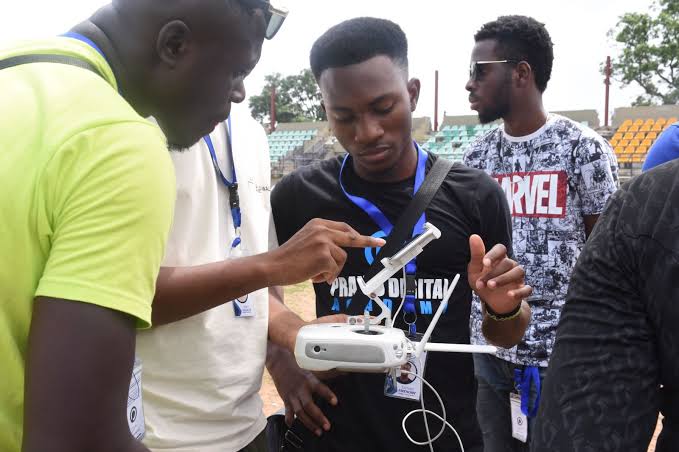
⚠️ Always turn off power before making electrical connections. Use appropriate ladders and safety equipment, keep cables away from electrical hazards, and follow local electrical and building regulations. Wear proper personal protective equipment (PPE) during installation.
Why Choose Suyi Urban CCTV Ltd?
With over 13 years of experience, we have trained more than 10,000 professionals and provide 24/7 monitoring support. Our certified technicians deliver professional installation, comprehensive maintenance packages, and customer training with every system.
Contact Us
📞 Phone/WhatsApp: 07068313502
📧 Email: suyiurbancctvlimited@gmail.com
Protect what matters most with Suyi Urban CCTV Ltd – Your trusted security partner.